
Biometric authentication still needs an accessible fallback
By Manisha Varma Kamarushiis, UX & Accessibility Researcher
Biometric authentication has changed the way people unlock devices and access sensitive information. Face recognition and fingerprint scanning are fast, familiar, and often more convenient than passwords.
But in my work as a UX and accessibility professional focusing on inclusive interaction design, biometric authentication raises an important question: What happens when biometrics fail?
That question became central to my research on accessible authentication, particularly for blind and low-vision users.
For many people, biometric authentication can reduce friction. It can remove the need to type long passwords, visually locate controls, or complete multiple interaction steps. But biometrics are not perfect. Fingerprints may not register. Facial authentication may fail because of lighting, positioning, or environmental conditions. Some users may also choose not to use biometrics at all.
When that happens, the user is pushed into a fallback method.
And in many digital products, that fallback is still a conventional PIN or password interface.
That is where the accessibility problem becomes more visible.
Rethinking the fallback experience
My research in accessible authentication grew from a broader interest in designing technology around users’ abilities rather than expecting users to adapt to rigid interaction models.
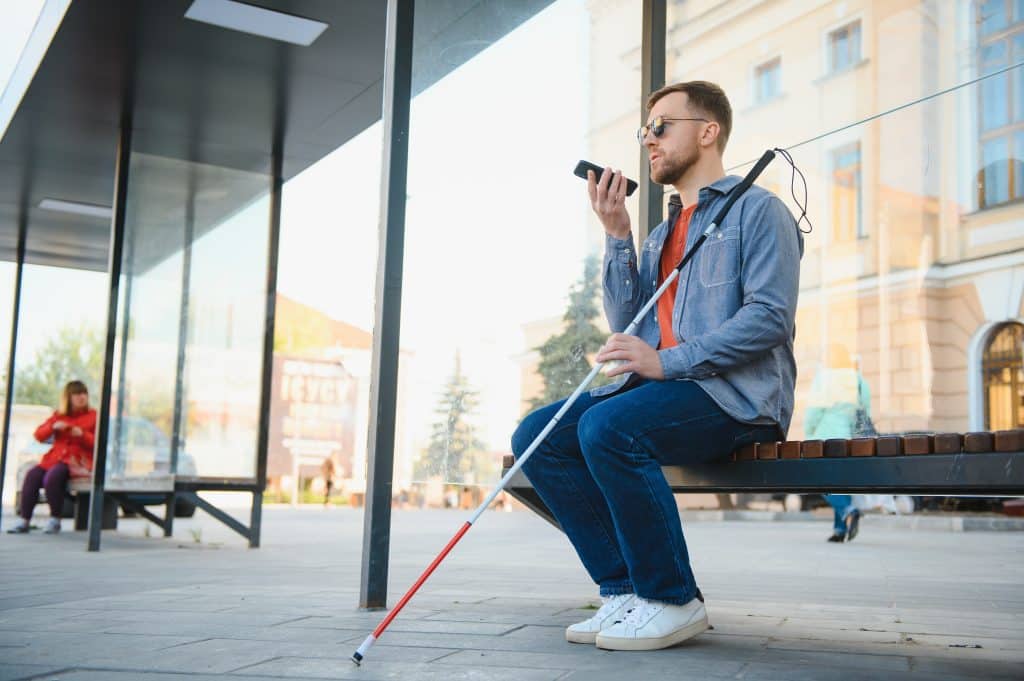
For blind and low-vision users, traditional touchscreen PIN entry can create additional friction. A conventional keypad depends heavily on spatial awareness and accurate interaction with on-screen controls. Even when a screen reader makes that interface technically accessible, the experience may still be slower, more cognitively demanding, or less private.
That problem led to my work on OneButtonPIN, an authentication method designed to allow blind and low-vision users to enter a PIN using a single button rather than relying on a conventional visual keypad.
The objective was not simply to create another login mechanism.
It was to challenge the assumption that secure authentication must depend on visually locating and selecting multiple numbers on a screen.
That distinction is important. Accessibility is strongest when it is built into the interaction model itself rather than added after the core design has already been established.
Why the fallback matters as much as biometrics
One of the broader lessons I have taken from my experience is that accessibility cannot be evaluated only through the primary authentication method.
A product may have excellent biometric authentication, but if the fallback is inaccessible, the overall authentication experience remains incomplete.
In many security systems, fallback experiences are treated as secondary. They should not be.
They are part of the authentication system.
Failures are inevitable. Sensors do not work perfectly. Environmental conditions change. Devices are replaced, damaged, or reconfigured. Users may lose access to the primary authentication method.
When that happens, the system must still remain usable, secure, and independent.
For disabled users, that is not a rare edge case. It can determine whether someone can independently access a device, financial account, workplace system, healthcare portal, or personal information.
Accessibility and security should not be treated as opposites
My work also challenges the idea that accessibility necessarily weakens security.
A more useful way to think about the problem is resilience.
A system that provides multiple secure and usable authentication pathways is better equipped to handle failure. It reduces dependency on a single method and gives users more control over how they authenticate.
The challenge is ensuring that those alternatives are genuinely equivalent.
An accessible fallback should not automatically be slower, harder, or less secure because the user cannot use the primary method.
That means security and product teams should ask accessibility questions much earlier in the design process.
Can the authentication flow be completed non-visually? Can users recover independently from a failed biometric attempt? Does the fallback work well with assistive technology? Does it preserve privacy? Does it require unnecessary visual or motor precision?
These are not secondary UX questions.
They are part of secure system design.
What OneButtonPIN represents
OneButtonPIN is one example of how a different interaction model can challenge long-standing assumptions about authentication.
Rather than asking how blind users can interact more efficiently with a traditional visual keypad, the research asks whether that keypad needs to remain the default interaction at all.
That shift opens up a broader set of possibilities.
Authentication systems can potentially support multiple interaction modalities, including biometric, tactile, auditory, hardware-based, or alternative input methods, depending on the user and context.
The goal should not be to force every user through the same authentication experience.
The goal should be to create systems that remain secure and usable across different abilities and situations.
The future of authentication should be more than passwordless
The technology industry frequently talks about moving toward a passwordless future.
That may be an important direction, but my research points to another requirement: the future also needs to be accessible by design.
Biometric authentication can be part of that future, but it should not become the only path.
The true quality of an authentication system is not determined only by how smoothly it works when everything goes right.
It is also determined by what happens when the preferred method fails.
For disabled users, that fallback experience can be the difference between independent access and exclusion. And that is why accessible authentication still needs much more attention.
About the author
Manisha Varma Kamarushi is a UX and accessibility professional whose work focuses on inclusive digital experiences, accessible authentication, and human-computer interaction. Her research includes OneButtonPIN, an authentication method designed to improve smartphone security and usability for blind and low-vision users.
Related Posts
-
 April 29, 2026
-
 October 6, 2026
-
 October 31, 2025
-
 August 19, 2026
-
 March 24, 2026
-
 September 7, 2026
Article Topics
accessibility | biometric authentication | biometrics | OneButtonPIN | user experience

Comments